I’ve been working with WordPress for a long time, and these days most of my work is WordPress consulting. A lot of that work is project-based, but some clients stick around for ongoing maintenance: WordPress and plugin updates, backups, security, performance work, the occasional deployment, and generally making sure nothing catches fire.
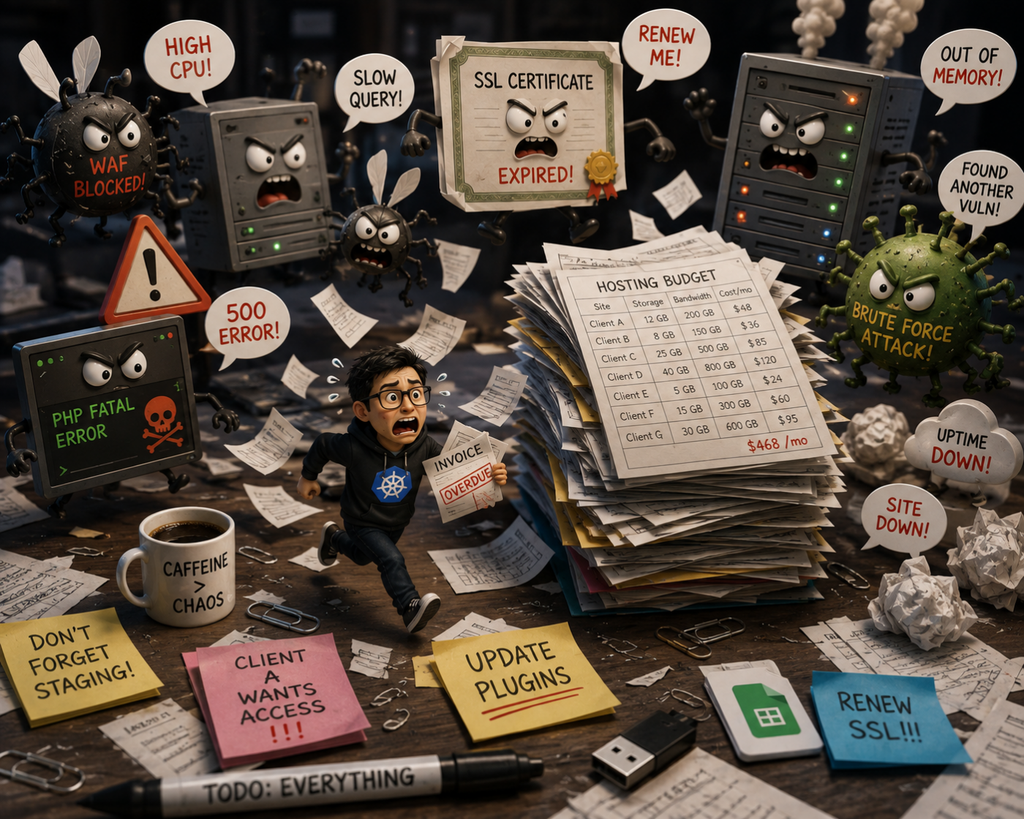
None of this is particularly difficult when you have one site.
It gets much more challenging when you have ten, twenty or a hundred of them.
Over the years I’ve tried various tools for managing WordPress sites, including MainWP, WP Remote and WP Umbrella, as well as a bunch of server management and hosting control panels.
They’re all solving slightly different versions of the same problem, and many of them are very good at what they do.
The problem is that the WordPress management layer and the hosting layer usually have no idea that the other one exists.
Two halves of the same problem
Take backups.
A WordPress management tool might connect to a site over HTTP, PHP or SSH, collect the database and files, compress everything, transfer the archive somewhere and keep track of it.
That’s a perfectly reasonable approach when the tool doesn’t control the infrastructure.
But the hosting provider does.
If the underlying storage supports snapshots, creating a backup could be almost instantaneous. There’s no reason to make PHP read every file in wp-content, compress a few gigabytes of uploads and push them somewhere just to create another copy of data the storage system already knows about.
The same thing happens elsewhere.
A WordPress management service can tell me that a site is down. The hosting platform can tell me that the container is running, the health check is failing, PHP is returning 502s and the last deployment happened three minutes ago.
One of those is considerably more useful.
Domains are another example. A management tool might know that example.com belongs to a site, but it usually can’t configure the load balancer, issue the certificate, change redirects or adjust the WAF protecting that domain.
Security plugins have a similar problem. They can inspect WordPress because that’s the layer they have access to. Meanwhile, the hosting platform can potentially stop unwanted traffic before PHP or WordPress ever sees it.
There are lots of perfectly good tools operating with one hand tied behind their back simply because they don’t own the infrastructure underneath them.
Hosting platforms have the opposite problem
You might think the obvious solution is to use the management tools built into the hosting provider.
And to some extent, it is.
Hosting providers can build much more efficient backups, restores, staging environments, domain management, caching, security and monitoring because they control the infrastructure those features run on.
But then you run into a different set of problems.
A hosting dashboard is often designed around hosting sites, rather than running an agency.
I don’t just need a button to create a backup. I need to know who created it and why.
I don’t just need another WordPress install called client-website-staging-2. I want production, staging and development environments to have an obvious relationship with each other (some providers to this today).
I want to know who deployed something.
I want activity logs.
I want sensible Git workflows and build tools.
I want developers to have access to the sites they’re working on without necessarily having access to everything else.
I want clients to have the right level of access without accidentally giving them a button that destroys production.
And when something goes wrong, I want the logs, health checks, deployments and infrastructure events in roughly the same place rather than spread across six browser tabs.
These aren’t really WordPress features. They’re agency workflow features.
And that’s where I think a lot of hosting platforms fall short.
So you end up assembling your own platform
The practical solution today is to use a bit of everything.
You have the hosting provider.
Then perhaps MainWP, WP Remote, WP Umbrella or something similar for managing WordPress.
Then a security plugin or service.
Maybe another service for uptime monitoring.
GitHub or GitLab for code.
Some deployment or management scripts.
A password manager.
And, inevitably, a spreadsheet.
The spreadsheet is important.
At some point somebody has to remember that Client A has four sites using this much storage, Client B is on an old hosting plan, Client C pays annually, and Client D somehow has a WooCommerce store consuming ten times the resources of everybody else while paying the same amount.
You can avoid some of this by asking clients to pay hosting providers directly.
I’ve done that too.
It removes a line item from your spreadsheet, but it introduces a different problem: now the client owns an account you depend on to do your job.
Cards expire. Invoices get missed. People leave companies. Passwords disappear. Someone receives an email about renewing something they don’t understand and ignores it.
The technically cleanest arrangement isn’t necessarily the operationally cleanest one.
What I’d actually like from WordPress hosting for agencies
What I want is surprisingly simple to describe.
I want the infrastructure and the agency management layer to be the same product.
A site shouldn’t just be a WordPress installation somewhere on a server. It should belong to a client, have environments, users, domains, resources, backups, deployments, logs and costs associated with it.
If I add a domain, the platform should know about the certificate, routing and security configuration behind it.
If I create a backup, it should use the fastest and most reliable mechanism available at the infrastructure layer.
If I restore that backup, I should be able to see that event later.
If a developer deploys something and the health check starts failing, those shouldn’t be three unrelated pieces of information living in three different products.
And if I’m hosting sites for twenty clients, I should be able to see what those clients are actually costing me.
Not because I particularly enjoy looking at infrastructure costs, but because discovering that a $30/month client has quietly been consuming $70/month of resources for the last six months isn’t a great business model.
The same applies to resource allocation.
A small company site and a busy WooCommerce store are both “one WordPress site”, but that’s about where the similarity ends. Pricing and infrastructure based primarily on counting WordPress installations has always seemed like a strange abstraction to me.
So I’m building one
This has been bothering me enough that I’ve started working on a cloud platform specifically for WordPress agencies.
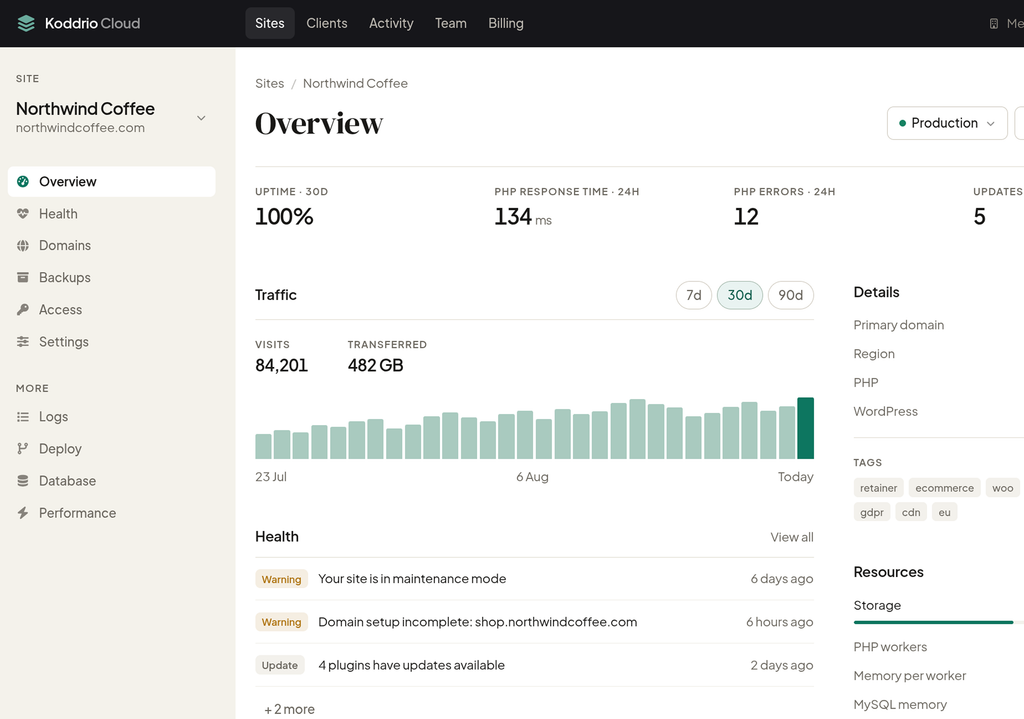
The idea isn’t to build yet another dashboard that connects to WordPress and does the same work from the outside.
I want to see what becomes possible when the agency tooling is integrated all the way down into the infrastructure that actually runs the sites.
I’m currently experimenting with a combination of Google Cloud infrastructure and dedicated compute servers, which has led me down some interesting rabbit holes around global load balancing, storage, networking, resource allocation, backups and multi-tenant, yet container-based WordPress infrastructure.
There are still plenty of questions I don’t have answers to.
That’s partly why I’m writing this.
I’ve spent enough time managing WordPress sites to know which problems annoy me. That doesn’t necessarily mean they’re the same problems another agency with 20, 50 or 200 client sites has.
So I’d love to talk to another two or three WordPress agencies about how they’re doing this today.
What do you use for hosting? Who pays for it? How do you keep track of client costs? How do developers get access? What does your deployment workflow look like? Where do backups live? What happens when a client leaves? Which bits involve spreadsheets? And which supposedly useful feature have you completely given up on because nobody on the team remembers to use it?
If you run a WordPress agency and any of this sounds familiar, get in touch.
I’d be happy to show you what I’m working on.
More importantly, I’d like to hear what I’m getting wrong.
Comments
One response to “What I Look for in WordPress Hosting for Agencies”
[…] I wrote about in my post about managing WordPress sites for agencies, once you’re responsible for more than a handful of sites, even simple maintenance tasks […]